Person detection & face recognition for Ring and Nest

Self-hosted. Know who’s home, who showed up, and when. Runs on your Synology, Docker, or any server — your footage never leaves your network.

Built for privacy and control

AI runs on your hardware. No cloud analysis, no subscription lock-in.

  • Person & pet detection

    YOLO-based detection for people, cats, dogs. Configurable confidence and filters to cut false positives.

  • Face recognition

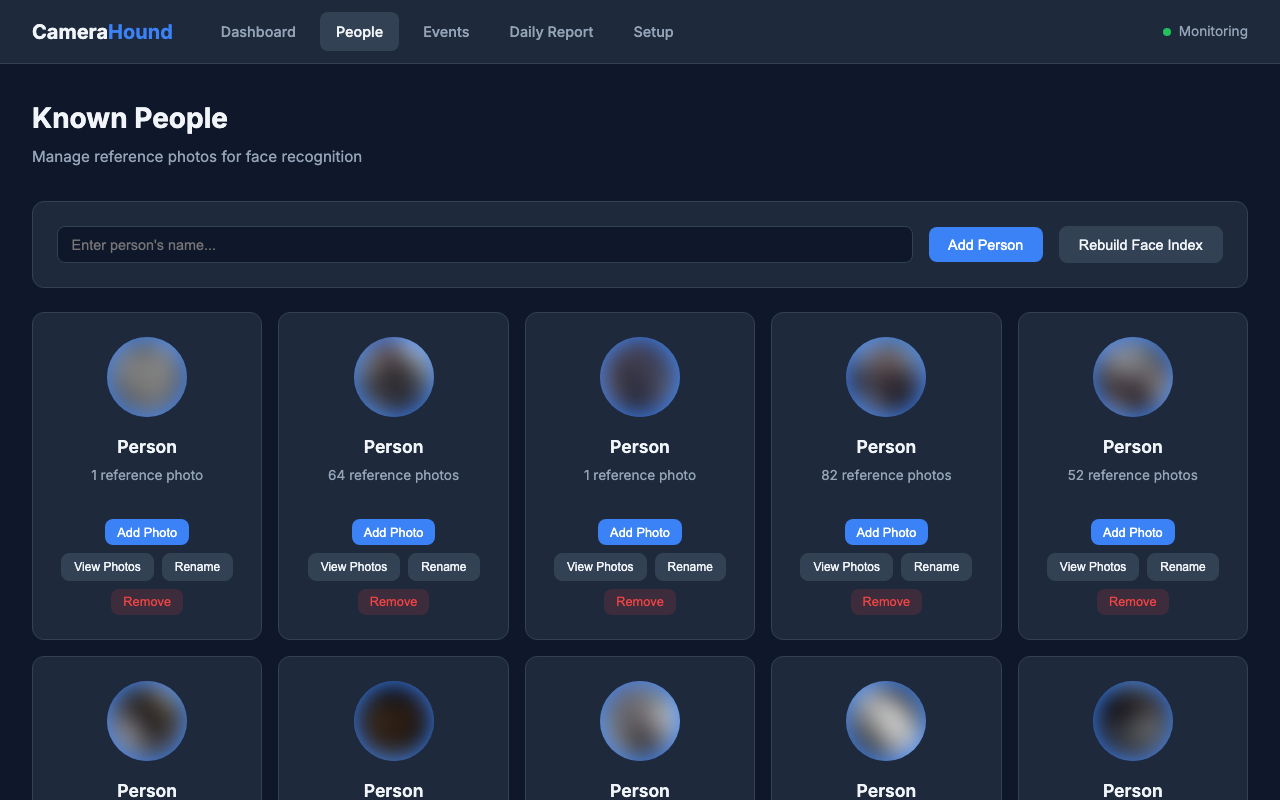
    Known people from reference photos. “Who is it?” with relabeling and optional auto-enrollment.

  • Presence & activity

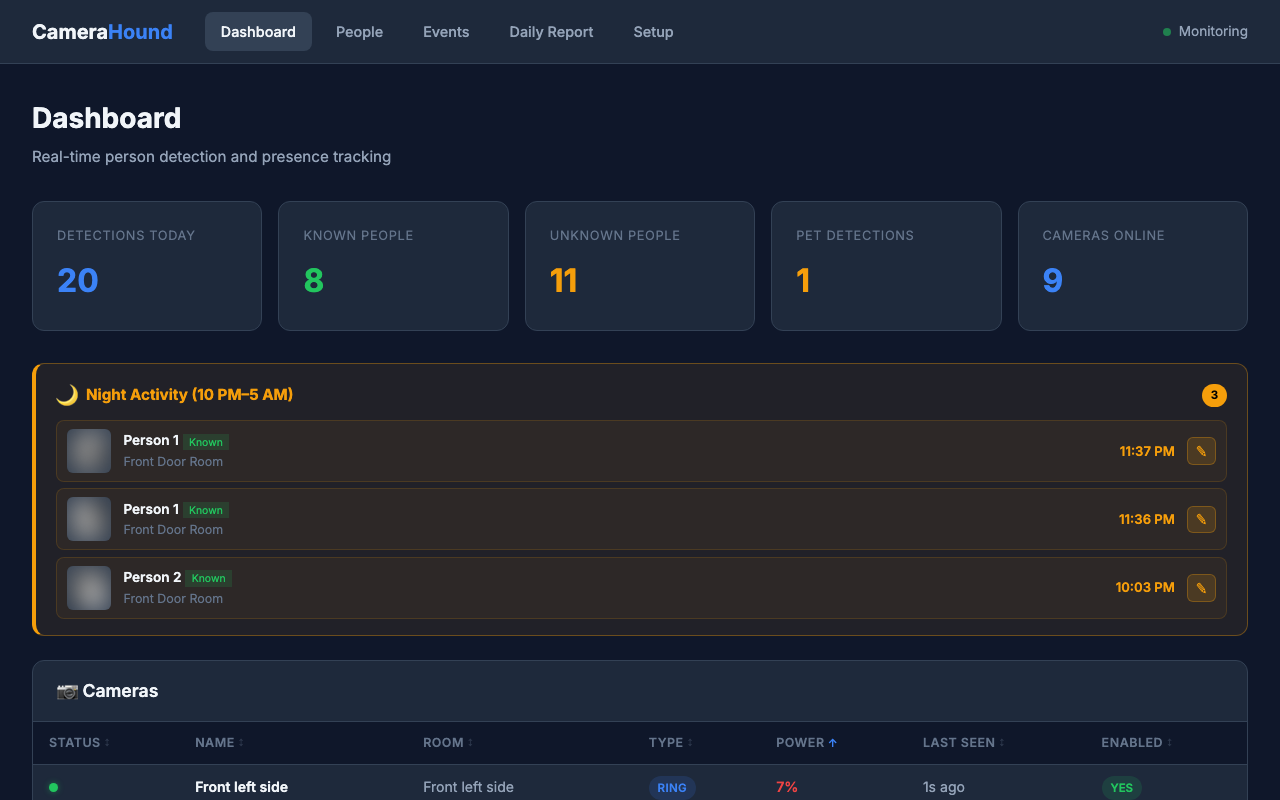
    Currently present, recent activity timeline, and daily reports. Night-time activity alerts.

  • Ring & Nest cameras

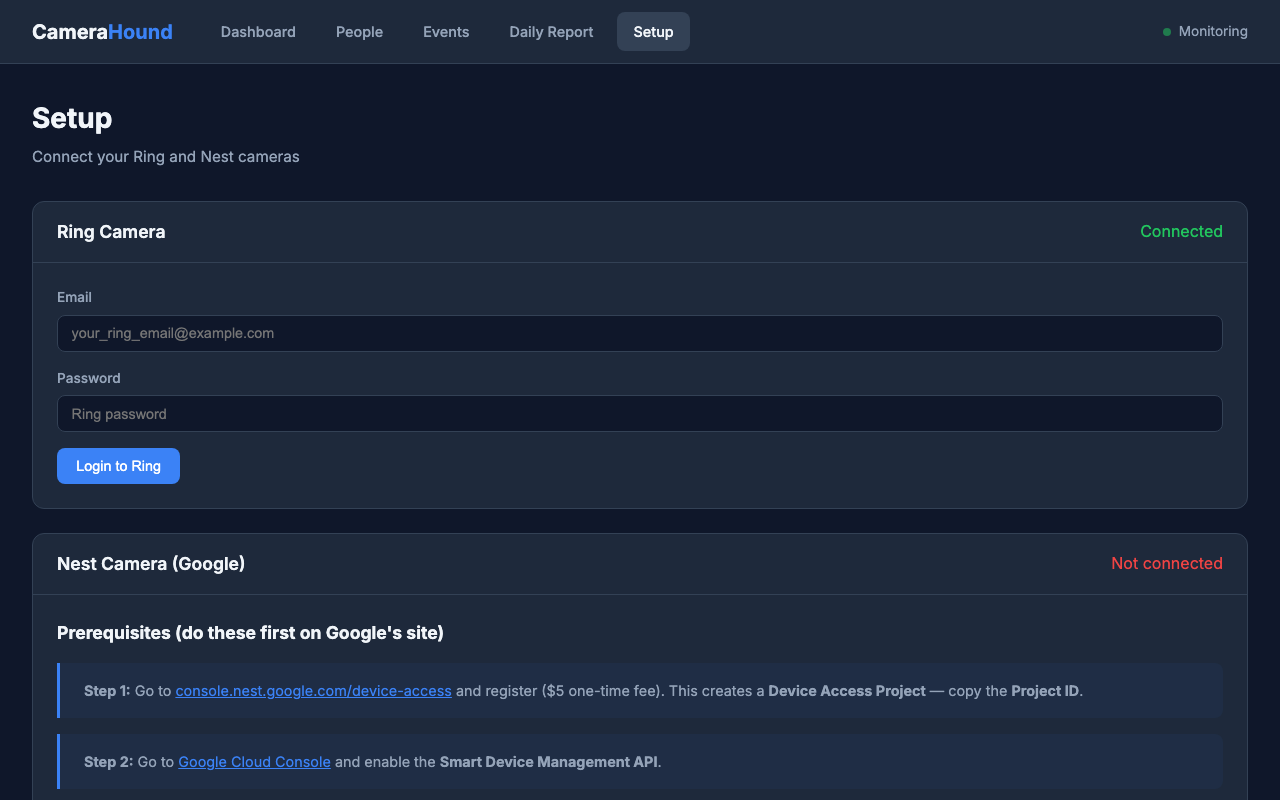
    Uses your existing cameras. No new hardware needed. Setup with Ring (2FA) and Nest/Google OAuth in the built-in Setup page.

  • Camera health monitoring

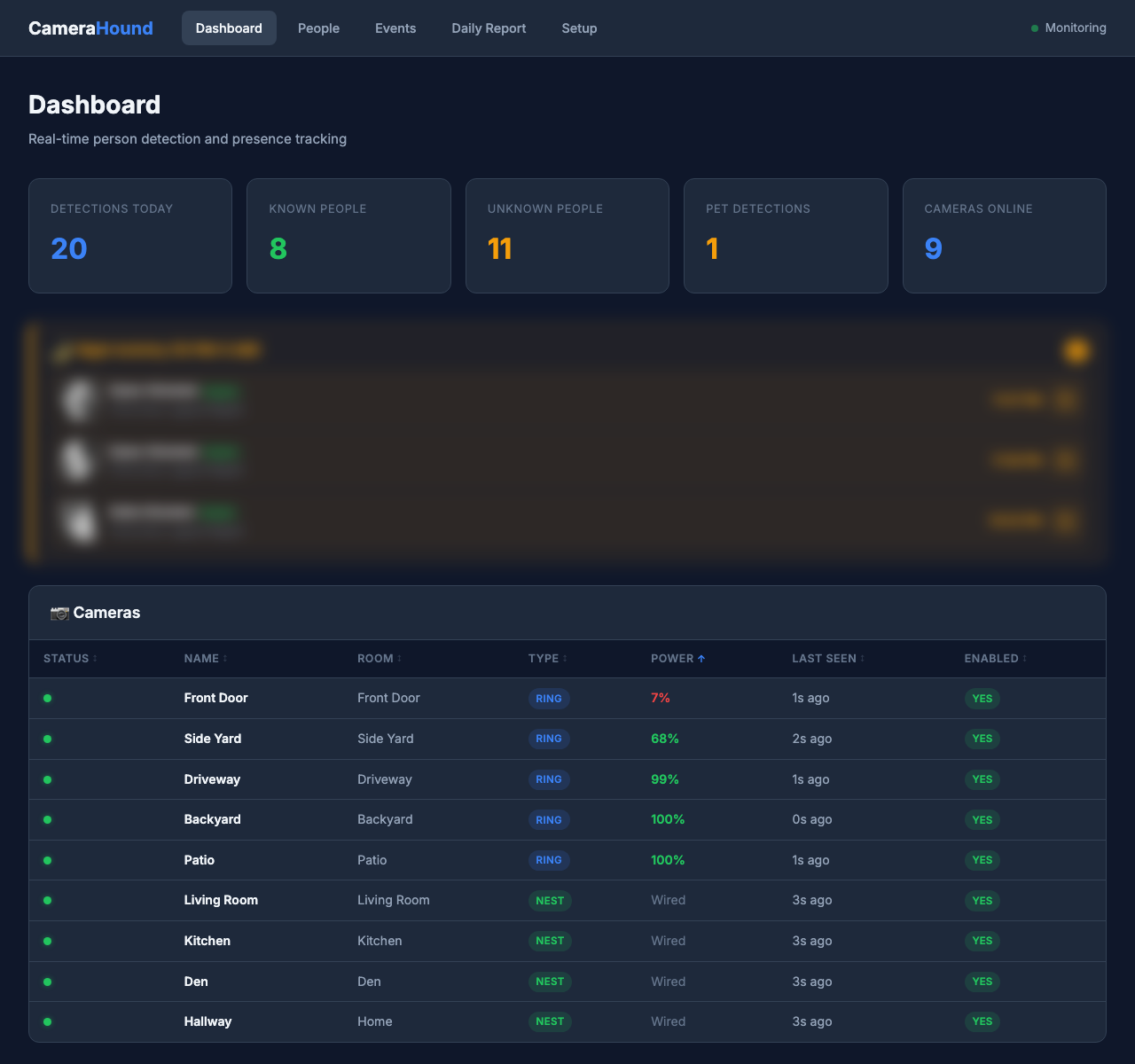
    Live online/offline status, battery level tracking, and automatic offline alerts. Works across Ring and Nest — see every camera's health at a glance on the dashboard.

  • Daily reports & email

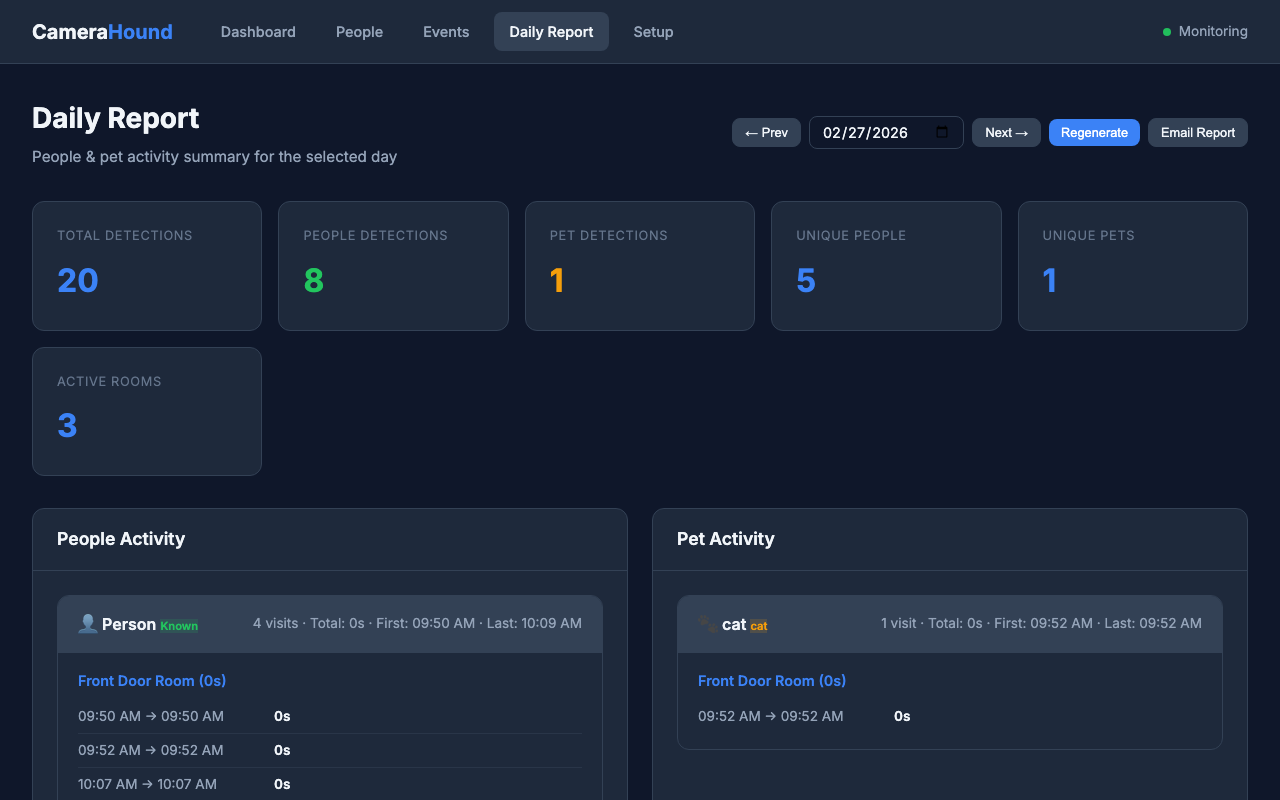
    Automatic daily summaries of people and pet activity. Configurable email delivery with per-camera breakdowns and visit timelines.

Nest users: Google charges a one-time $5 Device Access fee (paid to Google, not us). Each install needs its own Nest project and credentials.

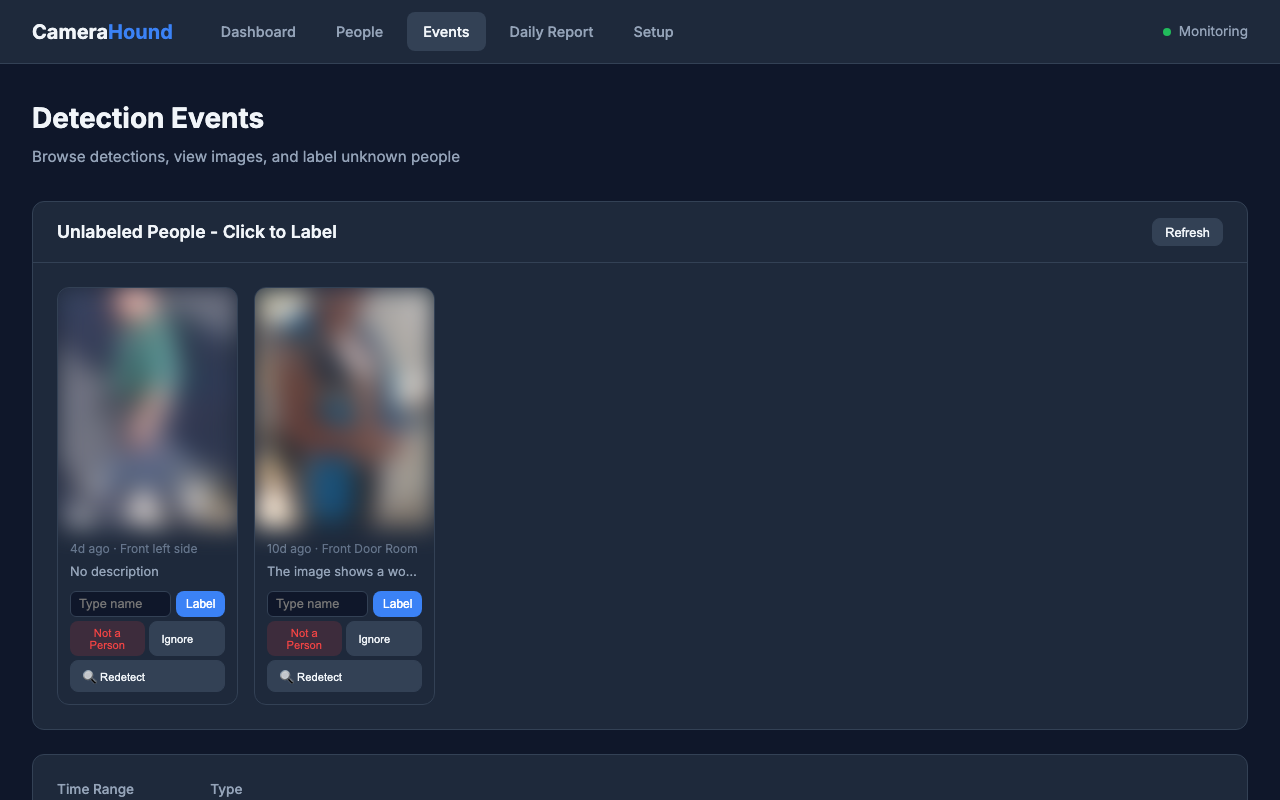
App preview

Real screenshots from a running instance — names and faces are blurred for privacy.

How it works

  1. Install Camera Hound on your Synology (Container Manager), Docker host, or server.
  2. Connect your Ring and Nest accounts in Setup. Camera Hound discovers and registers cameras. Nest: Each install needs its own Google Device Access project (one-time $5 paid to Google at console.nest.google.com/device-access); you can’t use another person’s connector.
  3. Add known people on the People page with reference photos. Optional: enable auto-enrollment.
  4. Use the Dashboard for presence and recent activity, Events to label unknowns, and Daily Report for summaries.

Runs in a single container. Data stays in your volume (SQLite, known faces, snapshots).

Pricing

One-time purchase. Free updates. No recurring fees.

Camera Hound

Full access. All features. Unlimited cameras.

$49 one-time
  • Person & pet detection
  • Face recognition & known people
  • Presence & daily reports
  • Camera health & battery monitoring
  • Ring & Nest support
  • Self-hosted on your Synology or server

Nest users: Google charges a one-time $5 Device Access fee (paid to Google when you create your project).

Buy now

By purchasing you agree to the EULA and Terms.

Secure checkout via Lemon Squeezy. After purchase you’ll get a license key and download link for the image and setup guide.

Install on Synology

Use Container Manager (Docker). One container, one volume.

  1. After purchase, you'll receive a license key and the Docker image name in your confirmation email.
  2. Copy .env.example to .env and add your license key:
    LICENSE_KEY=CH-xxxxxxxx-xxxx-xxxx-xxxx-xxxxxxxxxxxx
  3. Pull and start the container:
    docker run -d \
      --name camera-hound \
      -p 8585:8585 \
      -v camera_hound_data:/app/data \
      --env-file .env \
      --restart unless-stopped \
      camera-hound:latest
  4. Open http://your-server:8585 and connect your cameras on the Setup page.

Internet access is required on first run to activate your license. After that, Camera Hound works fully offline. A detailed setup guide is included after purchase.

Frequently asked questions

What are the system requirements?

A server, NAS (e.g. Synology), or computer that can run Docker containers. Minimum 2 GB RAM and 2 CPU cores. 4 GB RAM and 4 cores are recommended if you run multiple cameras with face recognition enabled. You also need at least 2 GB of free disk space, plus additional space for snapshots.

What cameras are supported?

Ring and Google Nest cameras with active accounts. Ring requires your account email, password, and 2FA. Nest requires a Google Device Access project (one-time $5 fee paid to Google) with OAuth credentials.

What if Ring or Nest changes their API?

We will make reasonable efforts to update Camera Hound when third-party APIs change. Your license includes free updates. However, we cannot guarantee compatibility if a provider fundamentally changes or discontinues their API.

Is there a refund policy?

Yes. We offer a 14-day money-back guarantee. If Camera Hound doesn't meet your expectations, contact us within 14 days of purchase for a full refund. See our Terms of Service for details.

Does my data leave my network?

No. Camera Hound runs entirely on your hardware. Images, face data, detection events, and reports all stay on your device. The only network traffic is between your server and Ring/Nest APIs (which you configure). No telemetry is sent to us.

How do I get support?

Email us at camhoundsup@gmail.com. We provide email-based support for installation, bugs, and general questions on a best-effort basis.

Can I install Camera Hound on multiple devices?

Each license covers one (1) installation. If you need to run Camera Hound on multiple servers, please purchase additional licenses.

Do I need Ollama or a GPU?

No. Person and pet detection (YOLO) and face recognition (DeepFace) run on CPU and are included in the Docker image. Ollama is optional and only used if you want additional vision-model analysis.